Xero stays in charge
MehlSoft reads invoices and payments through Xero’s official connection, about every 15 minutes. The link is read only. It never changes anything in Xero.

The product
MehlSoft brings factory work, fitting, orders and payment information together. Your accounts system stays in charge of the accounts.
Start with what matters
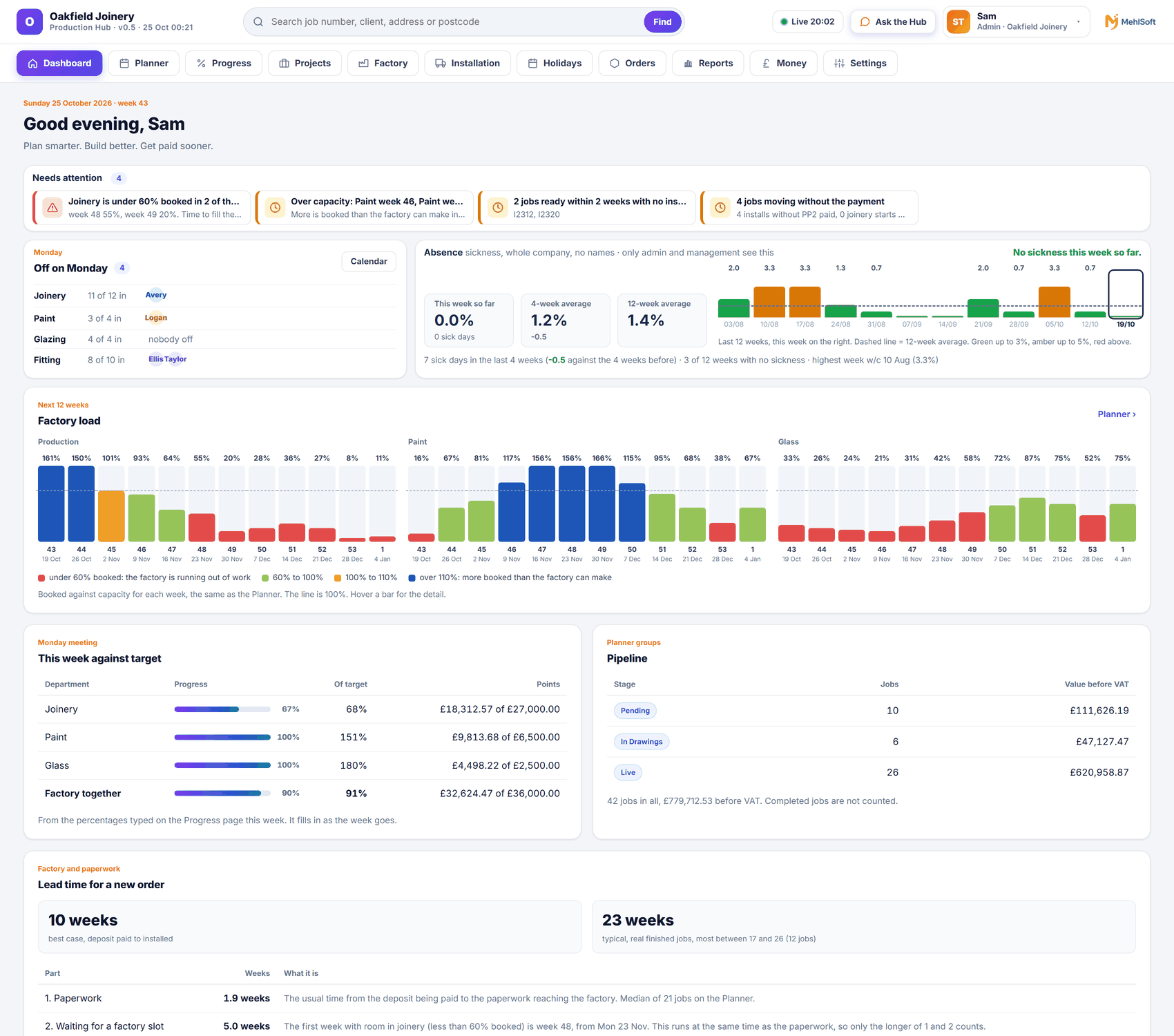
See what needs attention today, factory load for the next 12 weeks, lead time for a new order, the pipeline by stage, this week against target and who is off.
Plan real capacity
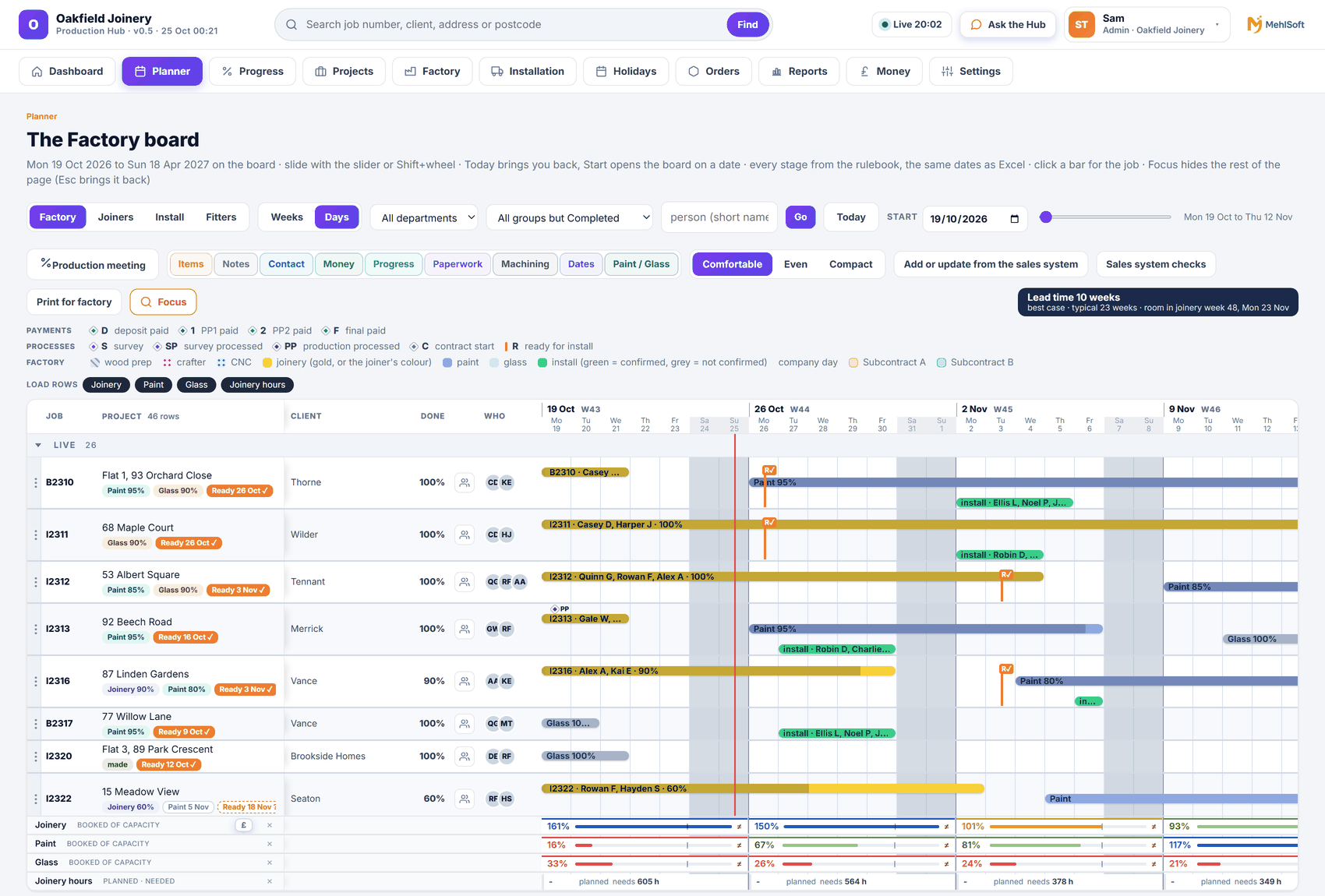
See every job as stage bars for wood prep, joinery, paint, glazing and fitting. Plan against real capacity, with a capacity strip across the top.
Get the right team to the job
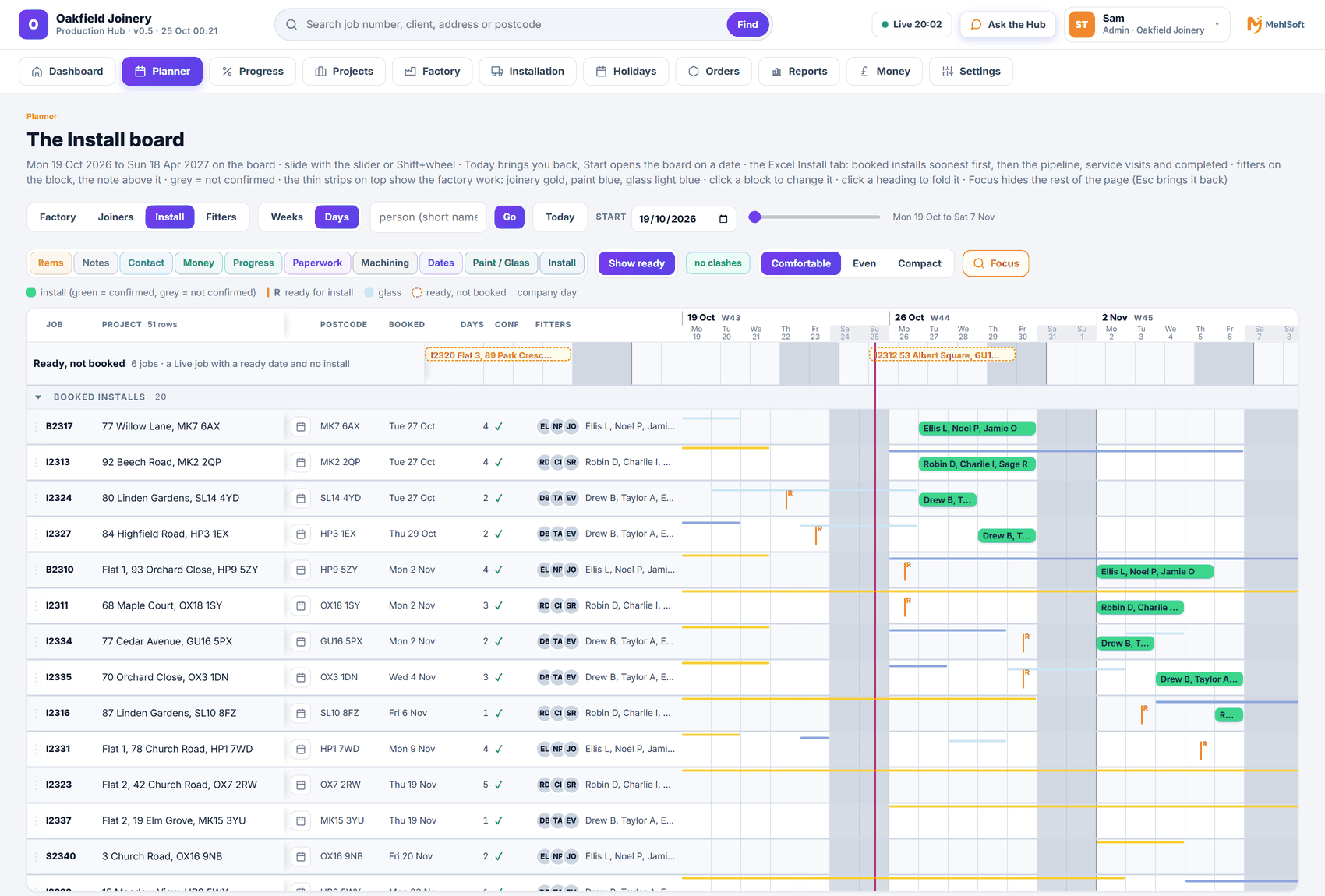
Book installation crews and add the extras: van, crane or scaffold. Split a job into visits and see service and remedial visits in their own colour.
Keep the detail together
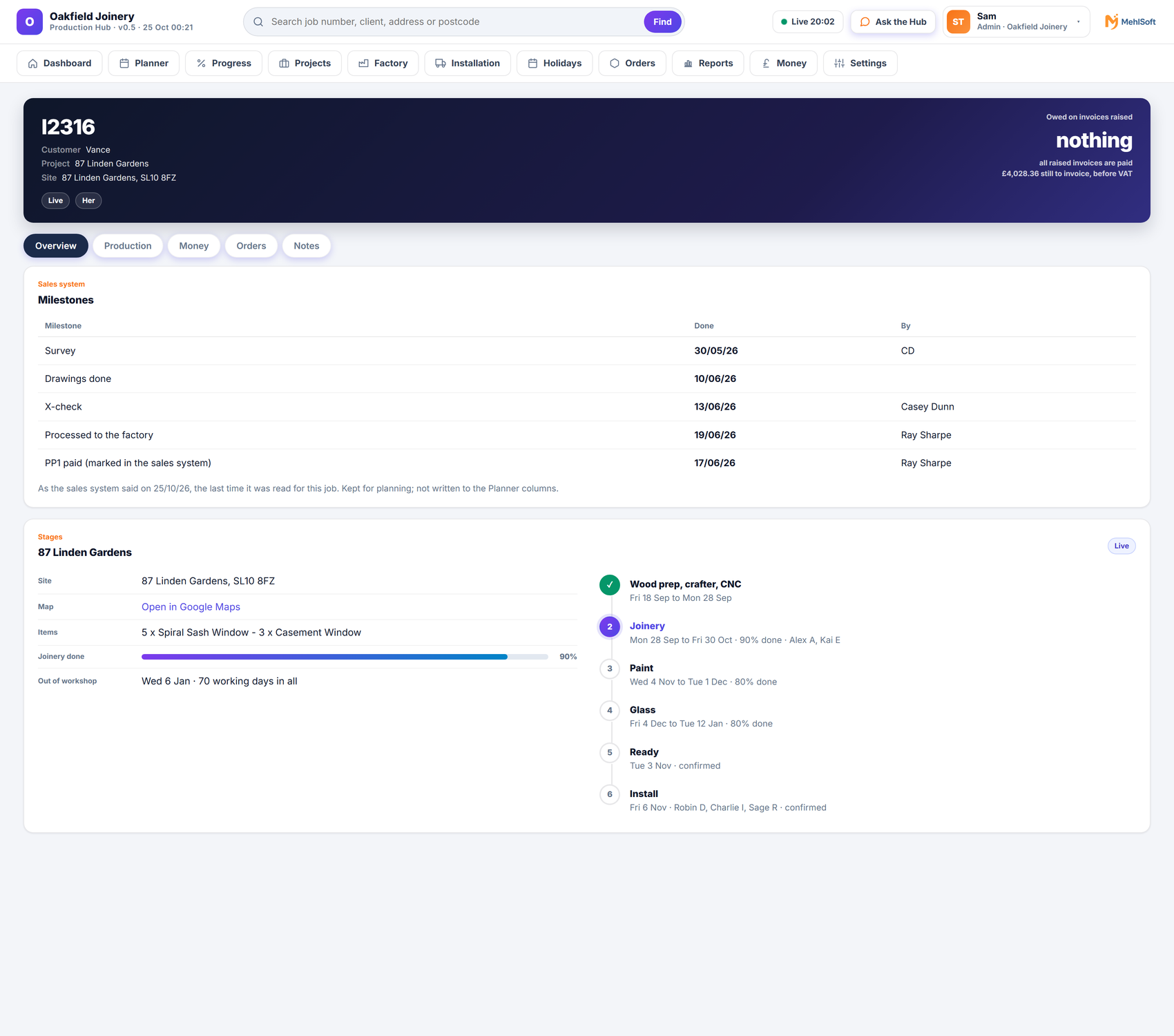
Open the job page to see the job and its progress. Keep the work in context as it moves through your stages.
See the work ahead
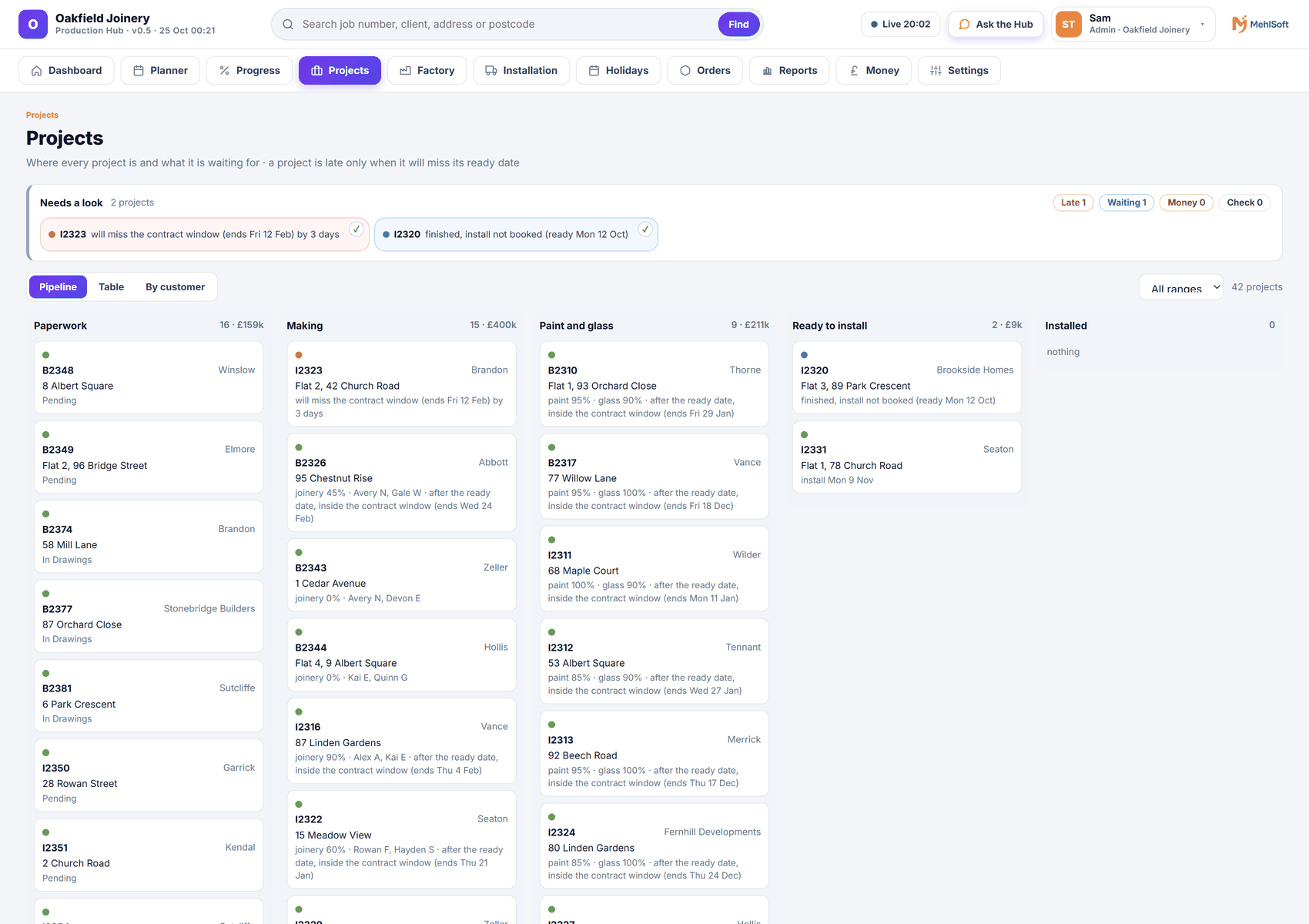
See the pipeline by stage and update projects already on your planner from your sales system. Tick what to bring in.
Keep payments beside the plan
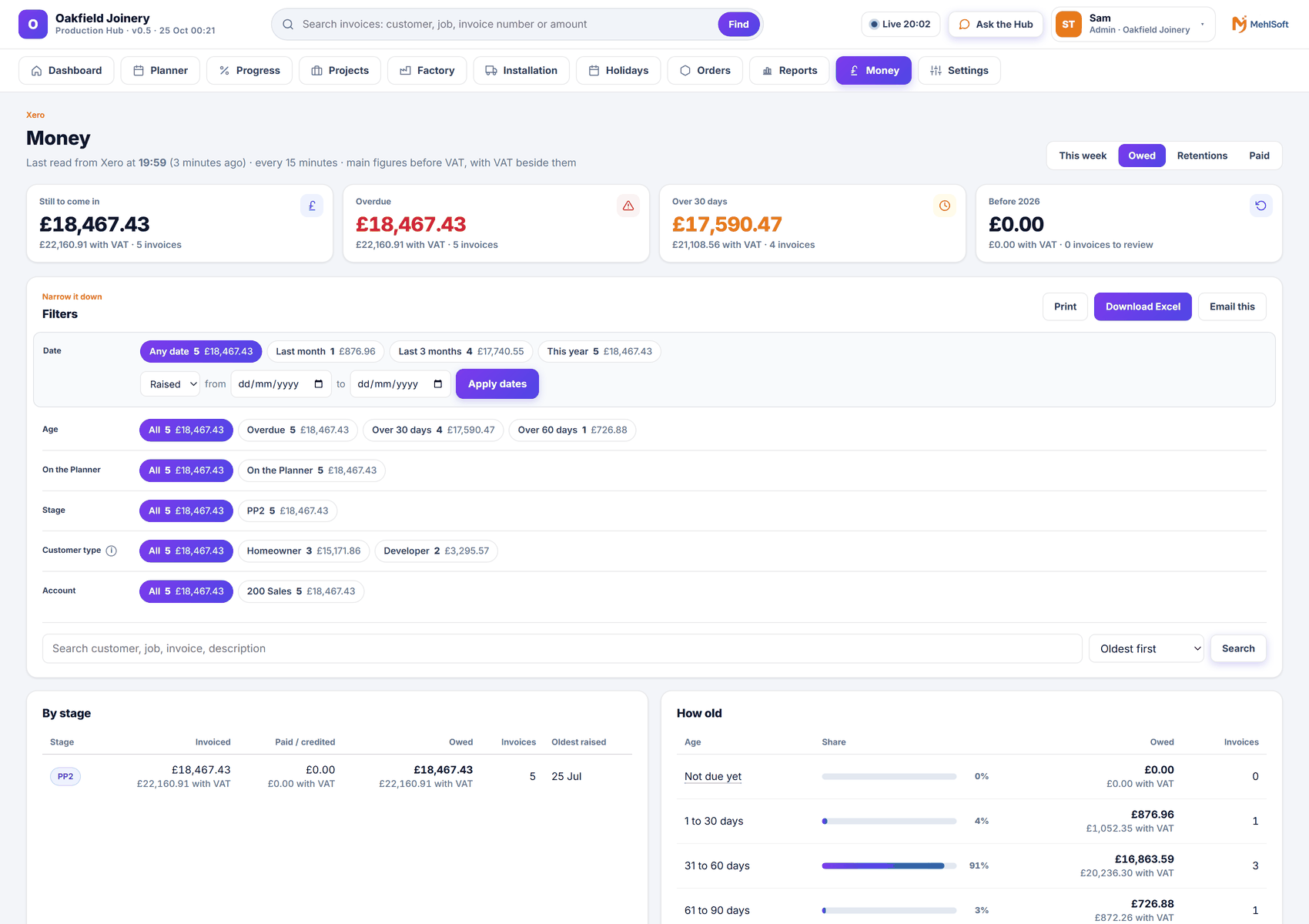
See what is owed, what came in, retentions and final invoices to chase, oldest first and by customer type. Check deposit and payment dates against the plan.
Keep the workshop informed
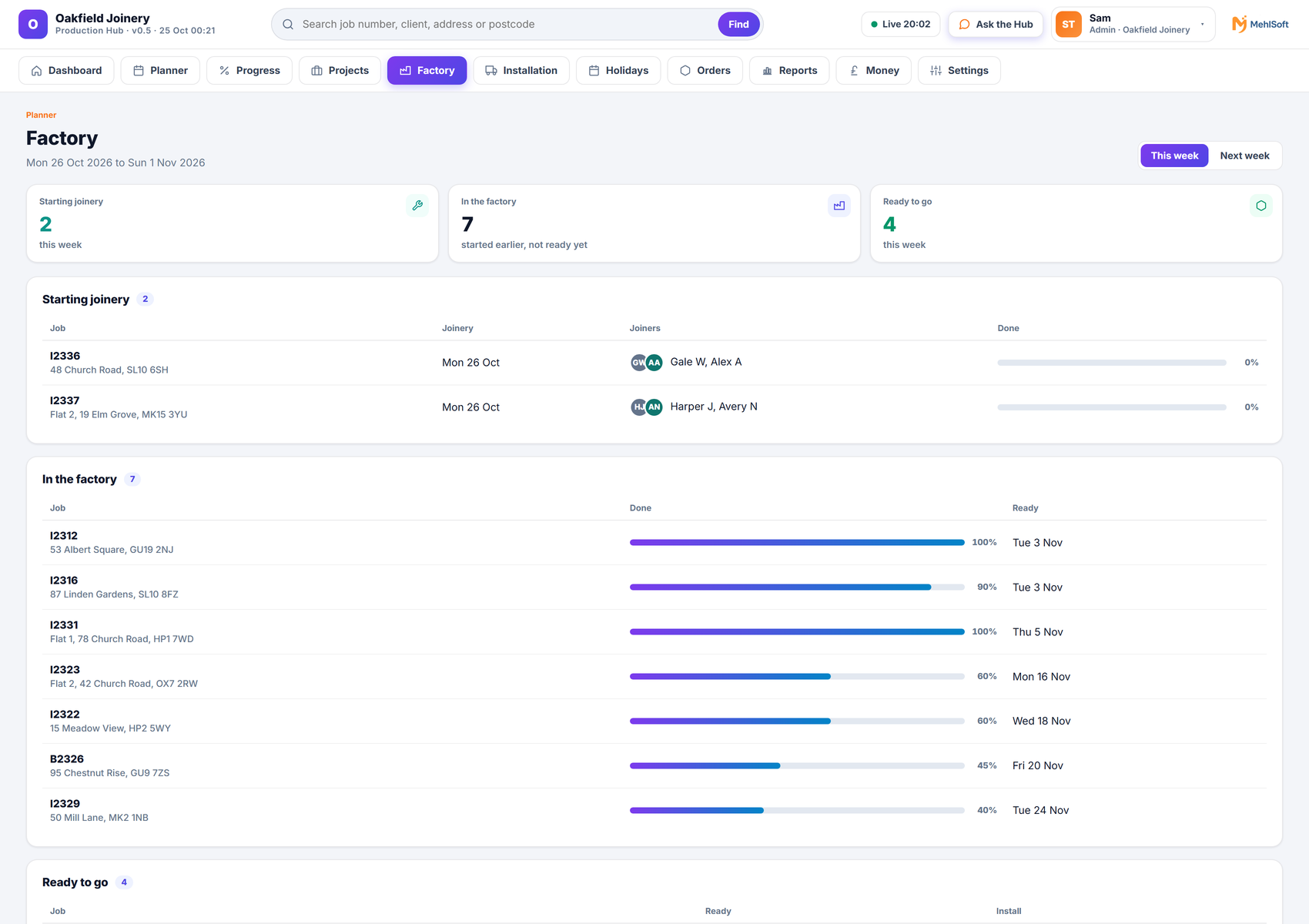
The factory board shows what starts, what is ready and who is on which job, this week and next. The factory team can look ahead and understand what is coming.
A focused view for fitting teams
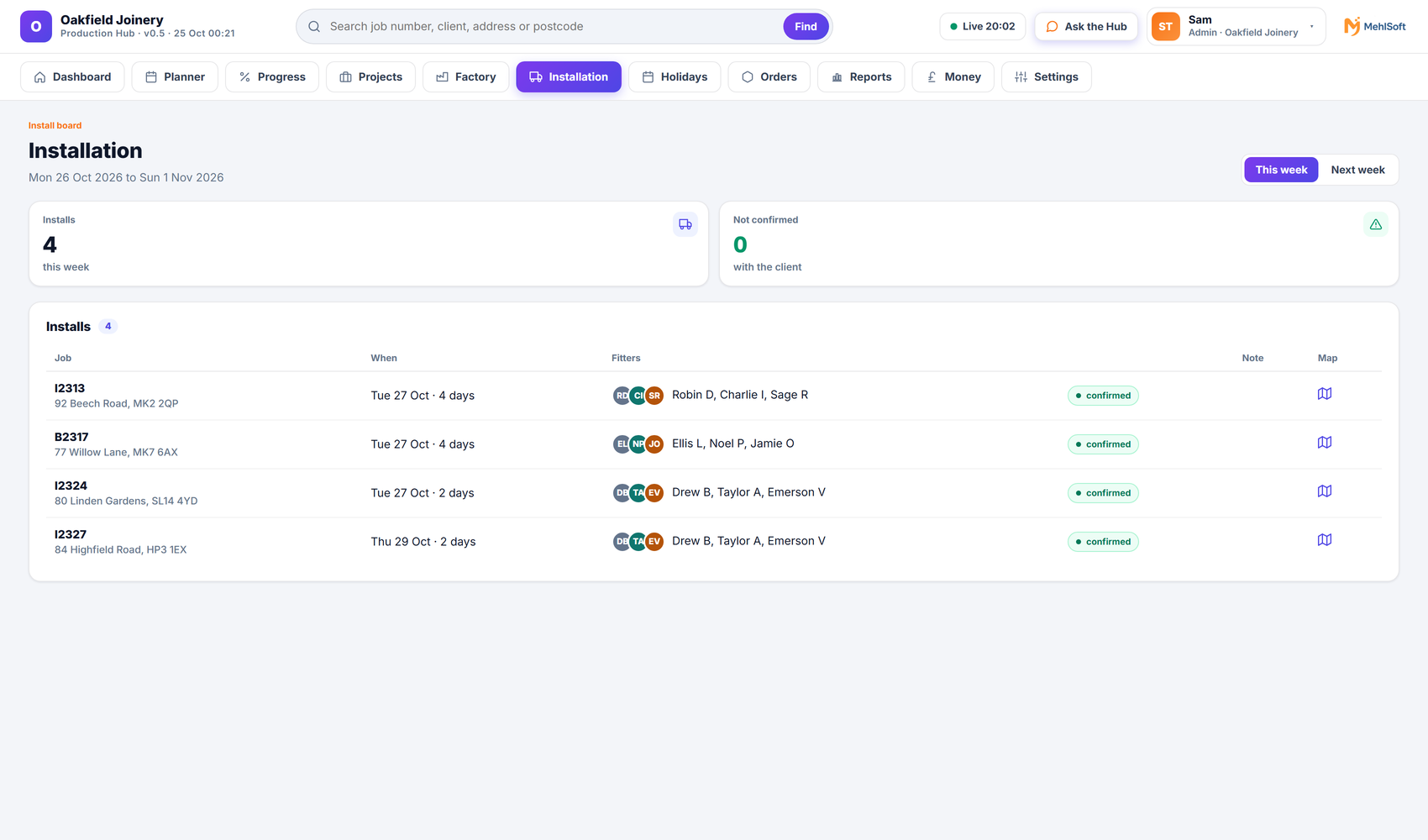
The install board shows their jobs, dates and addresses, with the job pages. No money.
Keep materials moving
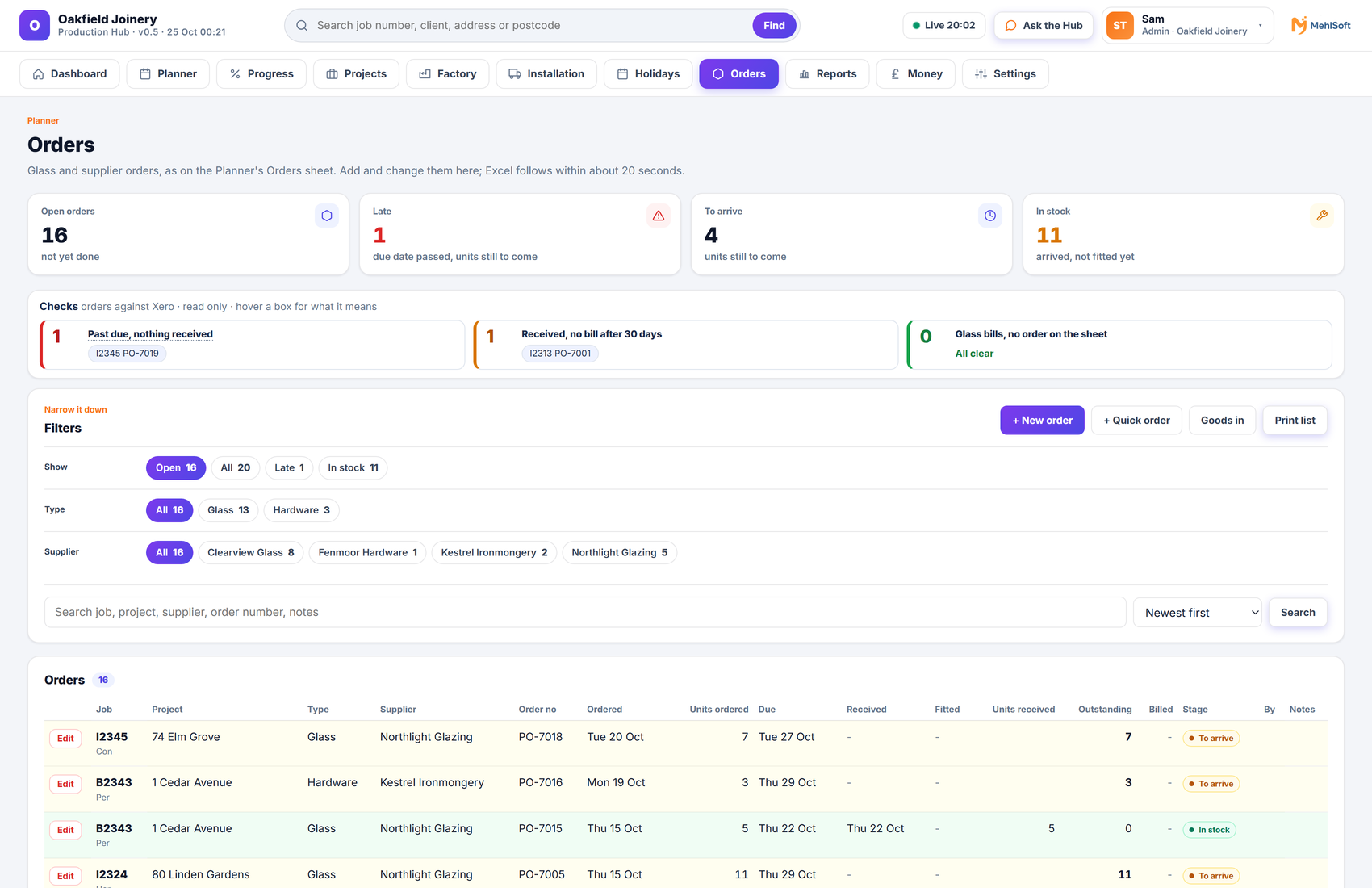
Keep glass and supplier orders in view. See what is late and what is due this week.
Progress and the Monday meeting
Record weekly percentages per job and compare targets against actuals. Close the week when the meeting is done.
The closing note covers each department against target, why it was high or low, notes and issues, time lost and lead time. Weekly performance and six-week average reports also arrive by email.
Your company. Your settings.
Stages, departments, product ranges, working days and capacities are settings for your company.
Choose who sees which pages with five ready-made roles and exceptions for a single person.
Security and your dataConnected to your working day
Checks, updates and reports that keep the right people informed.
Everything here is live today unless marked On request or Coming soon.
MehlSoft reads invoices and payments through Xero’s official connection, about every 15 minutes. The link is read only. It never changes anything in Xero.
See what is owed, what came in and what is held in retention. Chase final invoices oldest first, by customer type. Check deposit and payment dates against the plan.
Each weekday morning, the right people receive an email covering overdue invoices, jobs moving without their payment, late glass and orders, and over-booked weeks. Money items go only to people allowed to see them. No email on a quiet day.
Send a short owed-money email to the people on your list. Include a spreadsheet of the list if wanted.
When the production week is closed, a meeting note is sent with each department against target, why it was high or low, notes and issues, time lost and lead time.
Receive weekly performance and six-week average reports by email.
Get alerts in your team chat, or by email, when a stage is paid, a part payment arrives, an invoice is credited or voided, or a link stops. A short money briefing arrives each morning.
Ask the Hub, the assistant in your team chat or in the app: “What installs this week?”, “What is late?” or “Who owes us?”
On request Alerts and questions in the chat or message tool your team already uses.
Daily checks compare the plan with your accounts and list where paperwork is waiting. One click checks the sales system too.
View team holidays and sickness on a calendar, with a calendar feed you can add to your own calendar. Sickness is shown only to managers. Everyone else sees “Off”.
Update projects already on your planner from your sales system, and tick what to bring in.
Coming soon Adding new projects directly.
A read-only link built for another accounting system, such as QuickBooks or Sage.
Links to time-tracking tools and other order or CRM systems.
Reports and emails designed for your business.
A shared plan. Clear permissions.
One plan, the right view for each person. The workshop sees the work, the fitters see their installs, the office sees what needs attention, and only the right people see the money.
A Dashboard shows what needs attention today, factory load for the next 12 weeks, lead time for a new order, the pipeline by stage, this week against target and who is off.
Office and management also see the money pages, and you can switch that off for any person. Only managers see the sickness trend.
The planner and factory board show what starts, what is ready and who is on which job, this week and next.
The team can see job progress, installs, orders and who is off. They can look ahead and understand what is coming. They see no money and cannot change settings.
The install board shows their jobs, dates and addresses, with the job pages. No money.
See the plan clearly
See how MehlSoft could fit your factory, your fitting teams and your way of working.